Forgot and Change Password
Account security is very important in your XTRONBET gaming experience. If you forget your password or want to change it for security reasons, here is a complete guide on how to do it easily and securely.
Steps to Reset Your Password (Forgot Password):
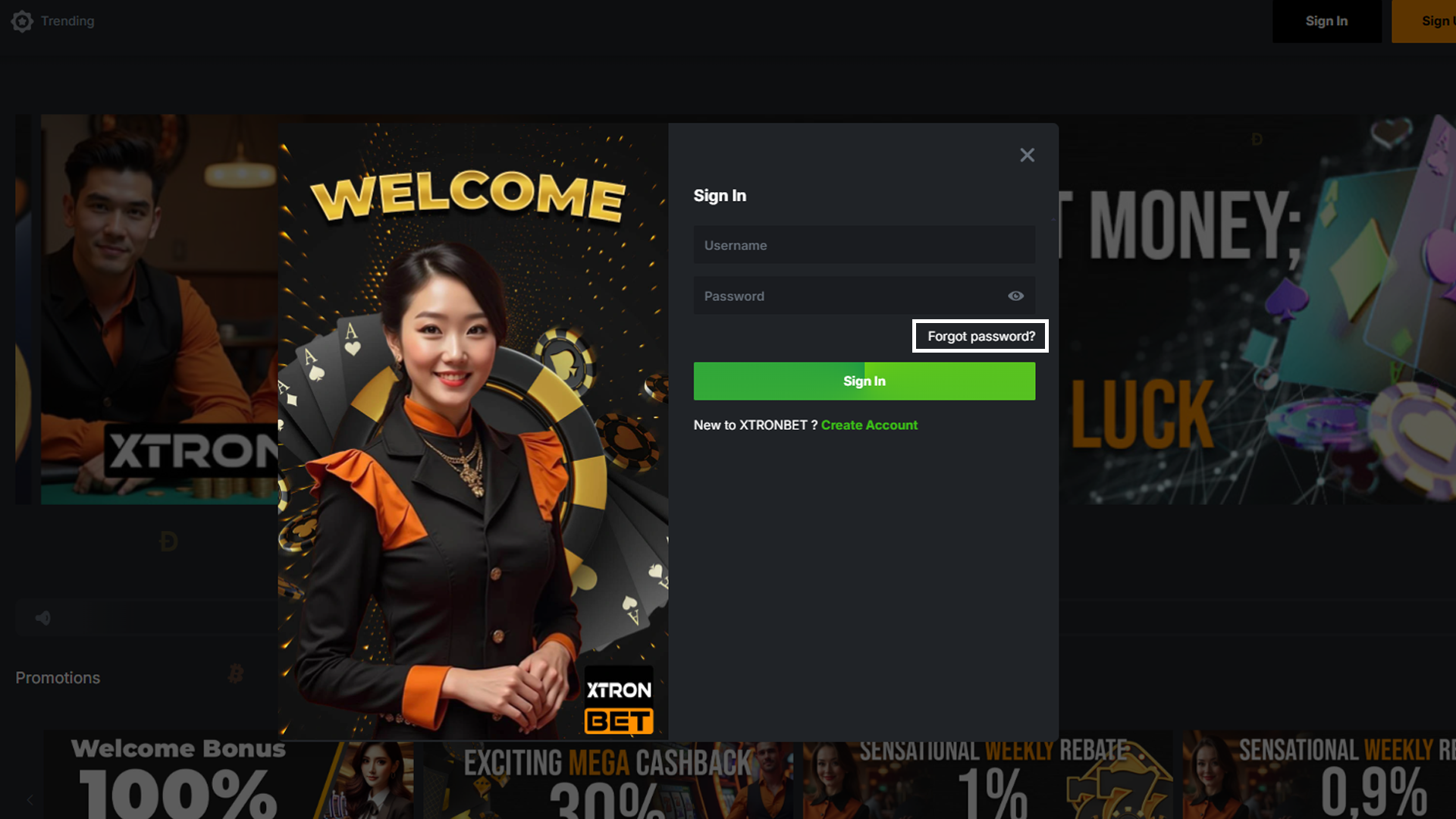
- Visit the Login Page: Go to the XTRONBET login page using your device, either through the app or website.
- Click "Forgot Password": On the login page, you will see a button or link that says "Forgot Password?". Click on that link to proceed.
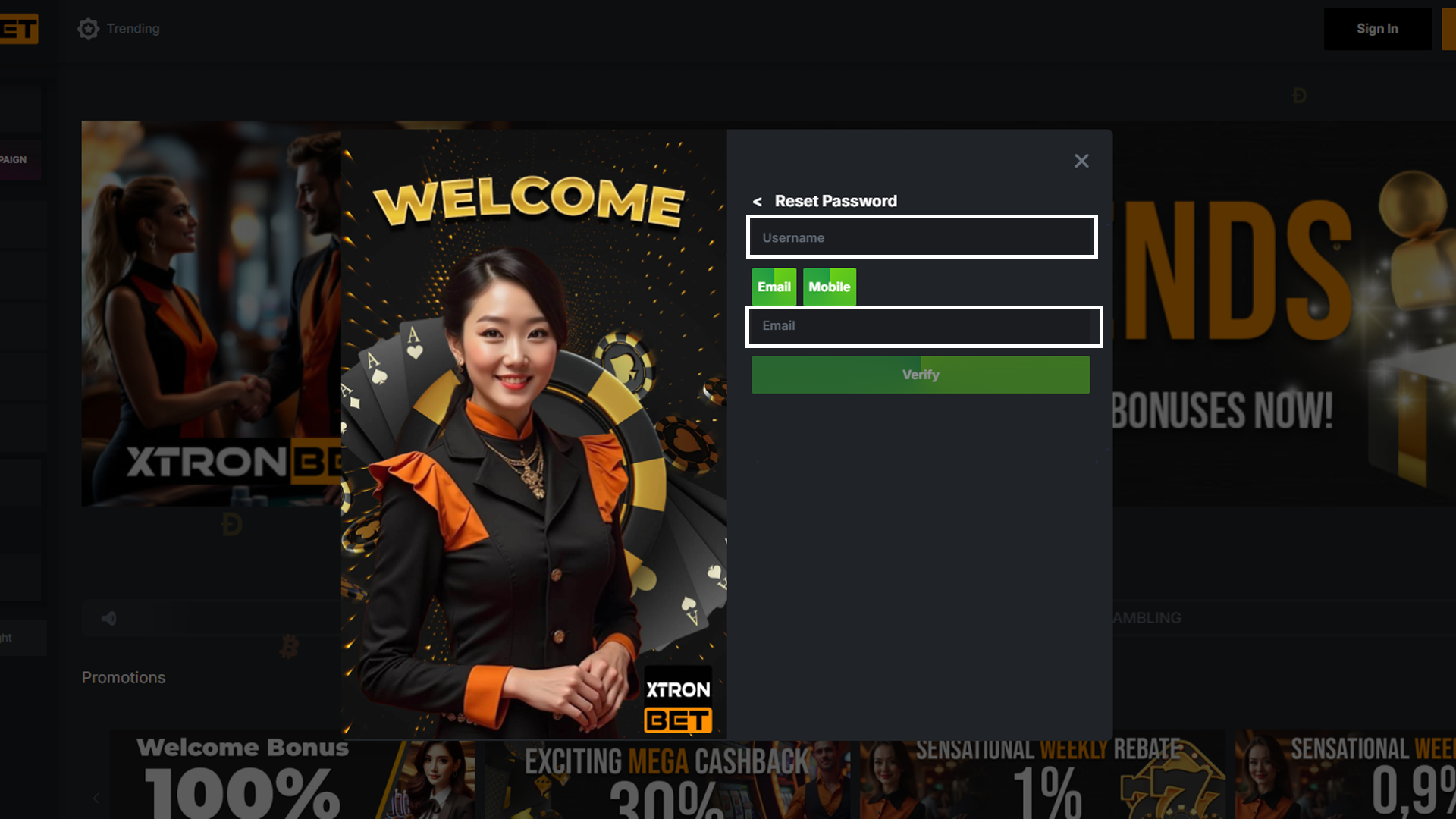
- Enter Registered Email/Phone Number: After clicking "Forgot Password?", you will be asked to enter the email address or phone number registered to your XTRONBET account.
- Check Your Email/SMS: After submitting the password reset request, you will receive an email or SMS from XTRONBET with further instructions and a link to reset your password.
- Reset Your Password: Click on the link in the email, and you will be directed to a page to create a new password. Make sure your new password is strong and easy to remember.
- Done: After setting your new password, you can use it to log in to your XTRONBET account.
Tips for Creating a Strong Password:
- Use a combination of uppercase and lowercase letters, numbers, and symbols to create a password that is hard to guess.
- Avoid using personal information such as your name or birth date in your password.
- Consider using a password manager to store strong and secure passwords.
- Change your password regularly to maintain the security of your account.
Steps to Change Your Password (Change Password):
- Log into Your XTRONBET Account: Use your old password to log into your account through the login page.
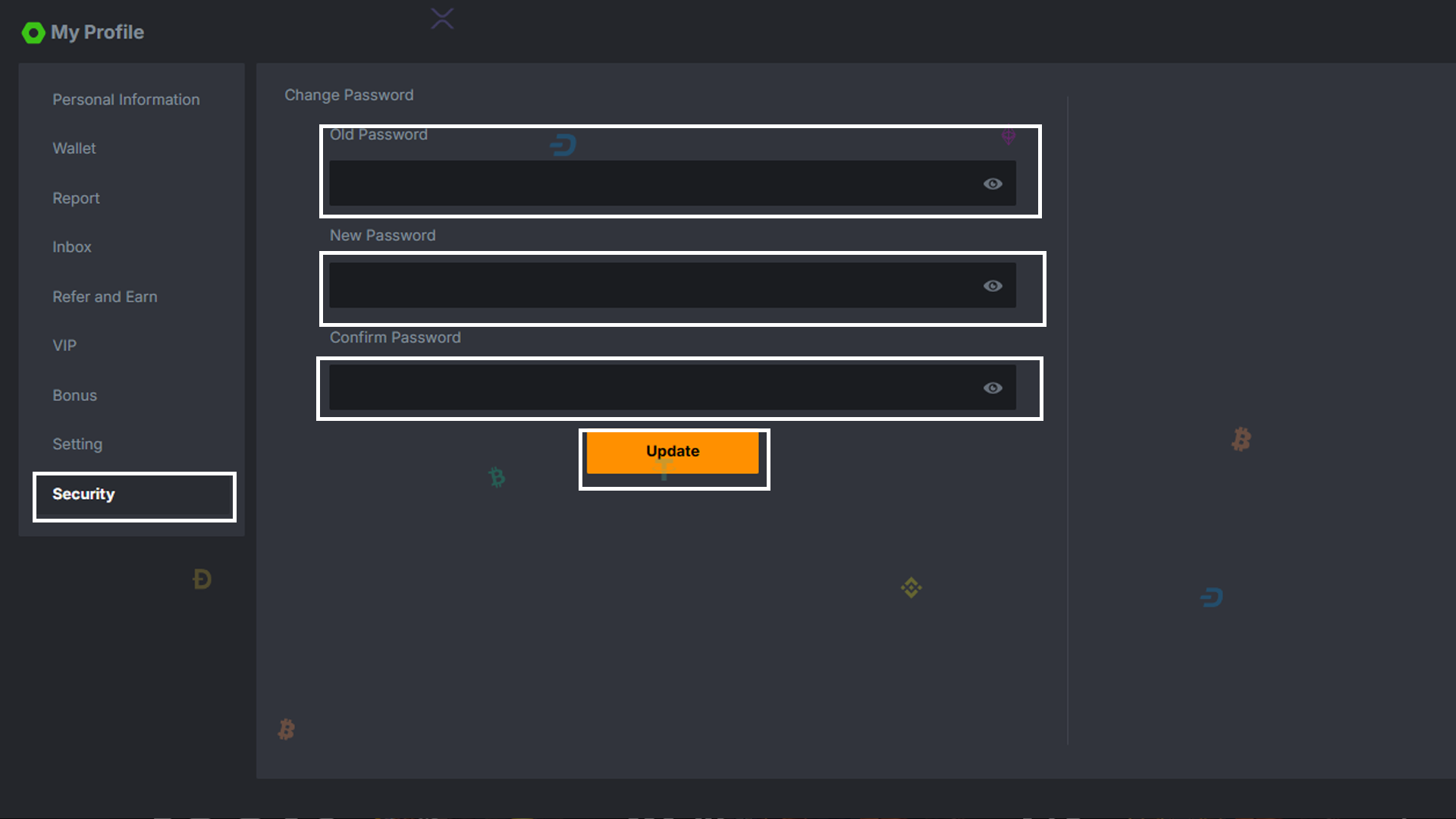
- Go to Account Settings: After logging in, go to the "Account Settings" or "My Account" section in your profile.
- Select "Change Password": In the account settings section, find the "Security" option to change your password and click on that option.
- Enter Old and New Password: You will be asked to enter your old password and your new password. Make sure your new password meets the security requirements mentioned earlier.
- Save Changes: After entering the new password, save the changes and log out of your account to ensure the update is successful.
- Log in with Your New Password: Now, you can use your new password to log back into your XTRONBET account.
Why is Changing Your Password Regularly Important?
Account security is crucial in protecting your personal information and transactions. By changing your password regularly, you minimize the risk of unauthorized access to your account. Be sure to follow the steps above to keep your XTRONBET account safe from unwanted threats.