Deposit and Withdrawal Report at XTRONBET
XTRONBET provides a comprehensive report on deposit and withdrawal transactions made by players. Through this report, players can track the status of each transaction, both deposits and withdrawals, and view details related to the transactions made. Here’s how to access and understand the deposit and withdrawal reports at XTRONBET.
1. What is Deposit and Withdrawal Report?
Deposit and Withdrawal Report is a feature that allows players to view details of all the deposit and withdrawal transactions they have made on XTRONBET. This report includes information such as transaction numbers, amounts received or requested, payment channels, transaction status, and the date of request.
Information Recorded in Deposit and Withdrawal Report:
- Transaction No: A unique transaction number assigned to each deposit or withdrawal transaction.
- Payment Channel: The payment channel used for the transaction (e.g., Tron Blockchain, TRC20, etc.).
- Receive Amount: The amount received by the player after deposit or withdrawal (for deposits) or the amount requested in a withdrawal transaction.
- Amount Requested: The amount requested by the player for withdrawal (only applicable for withdrawal reports).
- Status: The status of the transaction, whether it is approved, rejected, or cancelled (player cancel).
- Date Requested: The date and time when the transaction was made or the request was placed.
2. How to Access Deposit and Withdrawal Report
To access the deposit and withdrawal report, simply log in to your XTRONBET account and go to the "Report" or "Transaction" section on the platform. There, you can choose to view either deposit or withdrawal reports and filter transactions based on the desired date range.
Steps to Access Deposit and Withdrawal Report:
- Log in to your XTRONBET account.
- Go to the "Report" or "Transaction" section on the platform.
- Select the "Deposit" or "Withdrawal" tab to view the respective transactions.
- Use the filter to choose the desired date range or specific transaction status.
- Click the "Search" button to display the relevant transaction report.
3. Example of Deposit and Withdrawal Report
Here are some example transactions recorded in your deposit and withdrawal report:
Deposit Report:
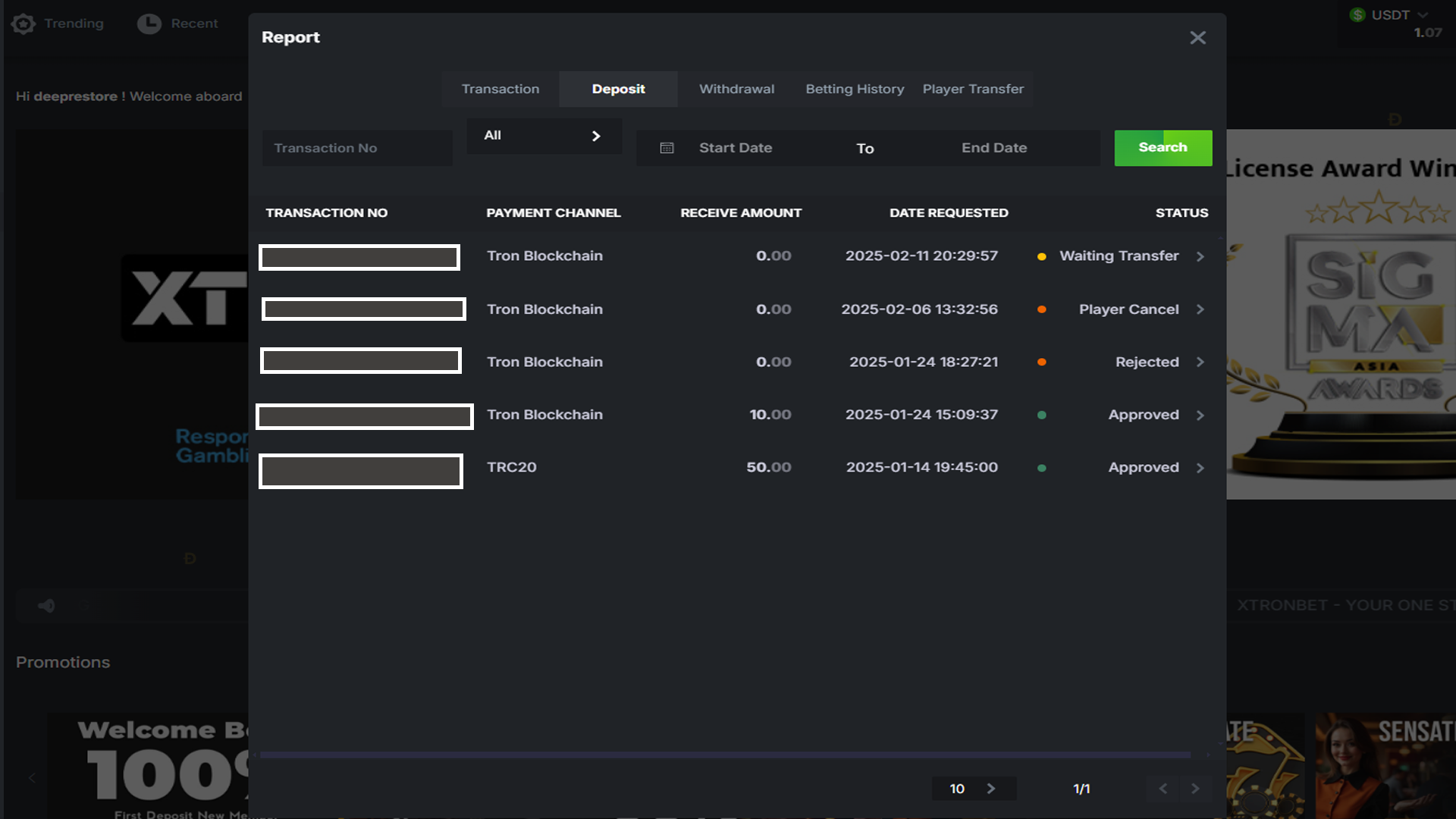
- Transaction No: D42025xxxx - Payment Channel: Tron Blockchain - Receive Amount: 0.00 - Status: Player Cancel - Date Requested: 2025-02-06 13:32:56
- Transaction No: D42025xxxx - Payment Channel: Tron Blockchain - Receive Amount: 0.00 - Status: Rejected - Date Requested: 2025-01-24 18:27:21
- Transaction No: D42025xxxx - Payment Channel: Tron Blockchain - Receive Amount: 10.00 - Status: Approved - Date Requested: 2025-01-24 15:09:37
- Transaction No: D42025xxxx - Payment Channel: TRC20 - Receive Amount: 50.00 - Status: Approved - Date Requested: 2025-01-14 19:45:00
Withdrawal Report:
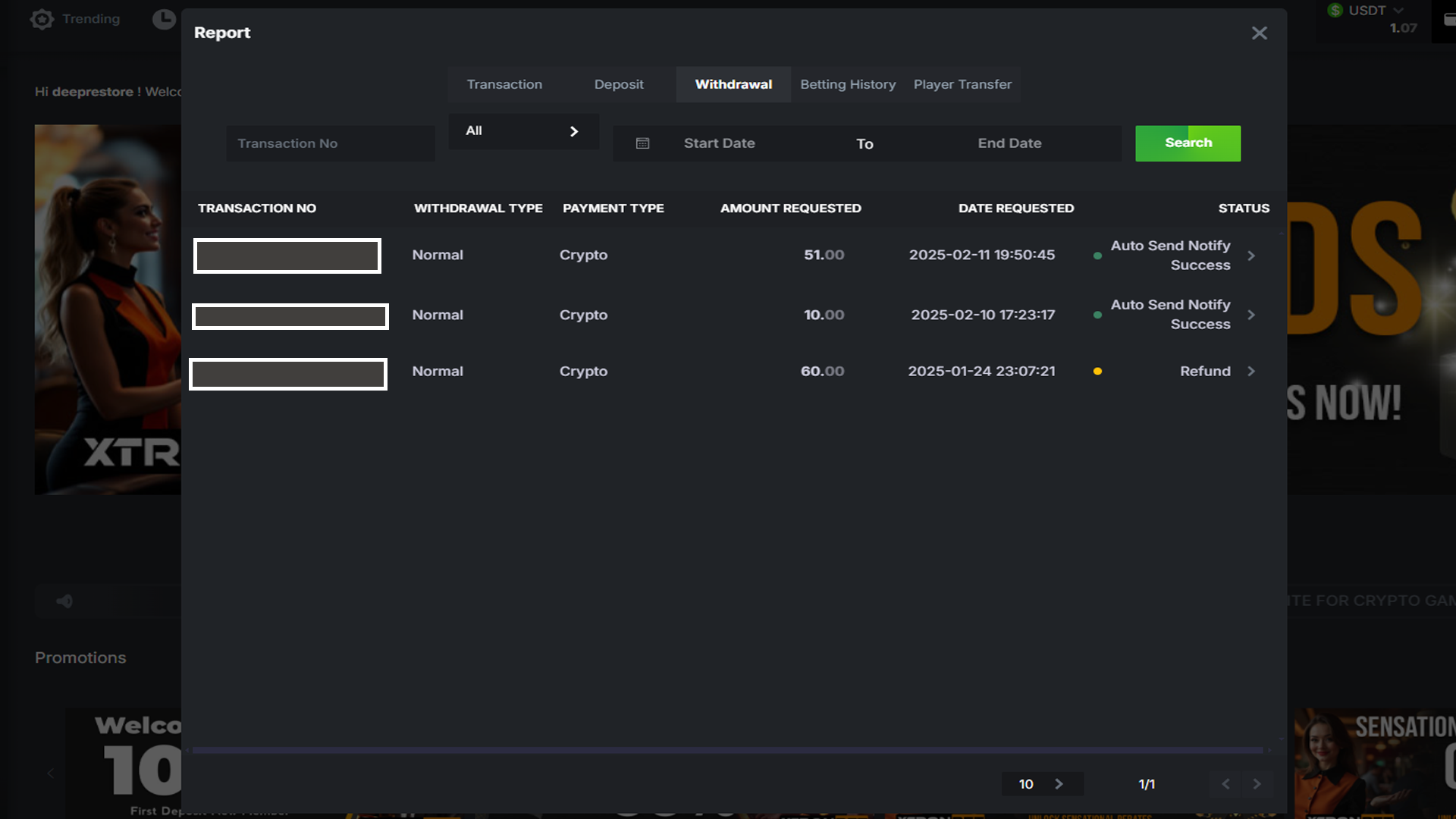
- Transaction No: D42025xxxx - Withdrawal Type: Normal - Payment Type: Crypto - Amount Requested: 60.00 - Status: Refund - Date Requested: 2025-01-24 23:07:21
4. Benefits of Understanding Deposit and Withdrawal Report
By reviewing the Deposit and Withdrawal Report, players can ensure that every transaction is processed correctly and as intended. It is a useful tool for verifying the status of deposits or withdrawals and maintaining transparency in managing your account’s finances.
Some Benefits of Deposit and Withdrawal Report:
- Verify the amount of deposits received and their status.
- Track the status of withdrawals, whether approved, cancelled, or rejected.
- Help resolve issues related to failed or pending transactions.
- Increase transparency and manage your finances better on XTRONBET.