About Account Profile Player
What is an Account Profile in XTRONBET?
On the XTRONBET platform, the Account Profile is a feature that allows users to easily manage their personal information. Through this feature, users can update their account data, set security preferences, and monitor their account activity.
Benefits of the Account Profile in XTRONBET
Using the Account Profile offers several key benefits, including:
- Managing Personal Information: Users can update data such as their name, email, phone number, and other important information.
- Account Security: This feature allows users to set up two-factor authentication, change passwords, and monitor login activity.
- Activity History: Players can view transaction records, login history, and other usage information to control their account.
- Personalizing Experience: Users can set display preferences, language, and notifications for a more comfortable playing experience.
How to Use the Account Profile in XTRONBET
Before using this feature, make sure you are logged into your XTRONBET account.
- Managing Account Information
- Login to your XTRONBET account.
- Go to the "Profile" menu on your account dashboard.
- Update the required personal information.
- Save the changes so that the latest information can be used.
- Enhancing Account Security
- Change your password regularly to enhance security.
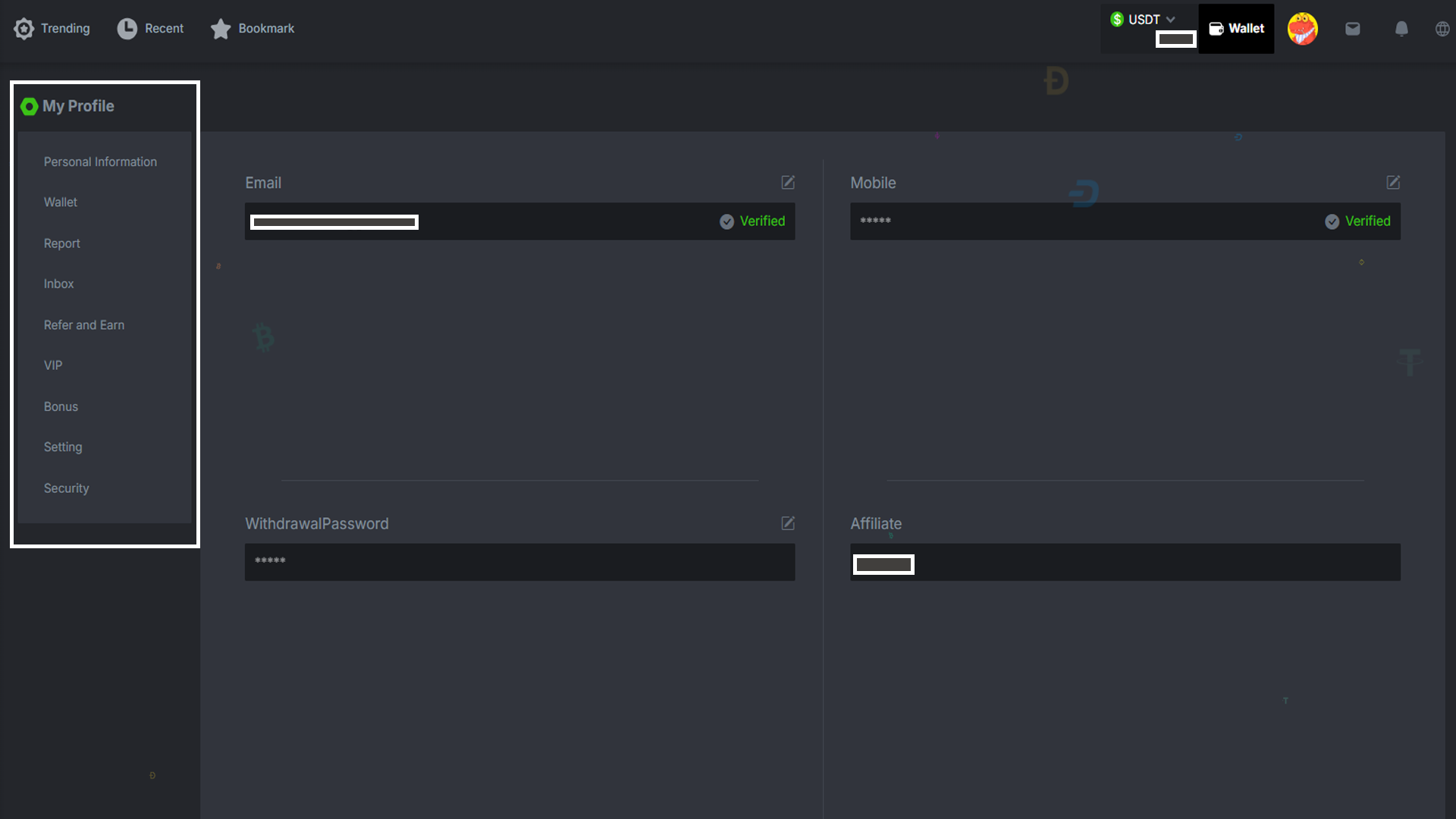
Explanation of the "My Profile" Menu
- Personal Information: This section is used to update personal information such as full name, email address, phone number, and other account details.
- Wallet: This feature allows users to view balances, transaction history, make deposits, or withdraw funds from their account.
- Report: In this section, users can view their activity report, such as game history, winnings, or losses.
- Inbox: Acts as a message center where users can receive important notifications from the system, such as promotions, account updates, or other notifications.
- Refer and Earn: This feature provides information about the referral program. Users can share referral codes to invite others to join and earn rewards or bonuses.
- VIP: This section provides access to information about VIP membership, including exclusive benefits like extra bonuses, cashback, or priority services.
- Bonus: Here, users can view and claim available bonuses, including deposit bonuses, cashback, or other promotional offers.
- Setting: This feature is used to manage account settings, such as language preferences, display themes, or other settings that affect the user experience.
- Security: This section provides security options to protect the account, including changing the password.
Tips for Optimizing the Use of the Account Profile
- Regularly update your contact information to keep it valid.
- Use a strong and unique password to avoid security risks.
- Check and manage notification settings according to your preferences.